How to share your rowing PB (and what to include)
Post the result first: your time for a distance test, or your metres for a timed one. Then add your average split per 500 m, your average stroke rate and the splits. If you want people to compare it with their own, add your age, sex and weight class. A clear photo of the PM5's results screen shows most of this in one picture.
What to include for each test
| Test | Lead with | Then add |
|---|---|---|
| 500 m, 1K | Time, to the tenth | Average split, stroke rate |
| 2K, 5K, 6K, 10K | Time, to the tenth | Average split, stroke rate, the splits |
| Half marathon, marathon | Time | Average split, heart rate if you wore a strap |
| 30 or 60 minutes | Metres | Average split, stroke rate, and the rate cap if you rowed one |
| A milestone | Total metres | When you started counting |
A rate cap is written as "r" and the rate: a 30 r20 is 30 minutes at 20 strokes a minute. If it's a new best, give the old one too. "7:12.7, down from 7:15.8" tells people more than the time on its own.
Why the splits matter
The splits show how you paced it. A 2K split 1:49.8, 1:48.9, 1:48.1, 1:45.9 is a steady piece with a strong finish, while the same time from a 1:42 first 500 and a 1:55 third is a fast start and a fade. Rowers reading your post look for this first, and it's the most useful thing to compare against next time. Our 2K pacing guide covers how to split a 2K evenly.
A format you can copy
This works as a caption, a forum post or a group chat message (the numbers are a sample):
2K PB: 7:12.7 (old best 7:15.8)
1:48.2 /500m, 31 s/m average
Splits: 1:49.8 / 1:48.9 / 1:48.1 / 1:45.9
M, 40-49, heavyweight
The details that make a result comparable
- Age and sex. Concept2's rankings are split by both, so they're the first thing people use to judge a time.
- Weight class. In Concept2's rankings, lightweight is 75 kg or under for men and 61.5 kg or under for women. Everyone else is heavyweight.
- Drag factor (optional). It doesn't change how your time is measured, but people often ask. The PM5 shows it under More Options → Display Drag Factor.
How to photograph the PM5 results screen
- Leave the result on the screen. When a distance piece ends, the PM5 shows your time to the tenth of a second. A timed piece ends on your total metres. The splits are listed underneath.
- Missed it? Go to Main Menu → Memory, choose the workout and open it to see the result and splits again. Concept2 covers both in How to Use Your PM5.
- Deal with the glare. The LCD reflects overhead lights. Shoot from slightly below the screen, or shade it with your hand.
- Shoot square on and crop. Hold the phone parallel to the monitor so the rows stay level, then crop to a 4:5 portrait for Instagram.
How to get a verified result
Log it in Concept2's free Online Logbook, then submit it to the rankings, where you can filter by age, sex, weight class and country.
- Synced results are verified automatically. That applies to results sent from Concept2's ErgData app or the Concept2 Utility.
- Typed-in results can be verified with a code. The PM5 shows a 16-digit verification code for each workout. Enter it in the Logbook entry.
- The ranking season starts on 1 May each year.
Sharing from Streaks Strokes
Streaks Strokes is our rowing app for the Concept2 PM5. It makes any piece it records into an image with these numbers already laid out. It doesn't upload to the Concept2 Logbook, so for a ranked result use ErgData or type the result in.
Share buttons are on:
- Workout Complete, beside Done.
- A workout in your history: open it from Sessions.
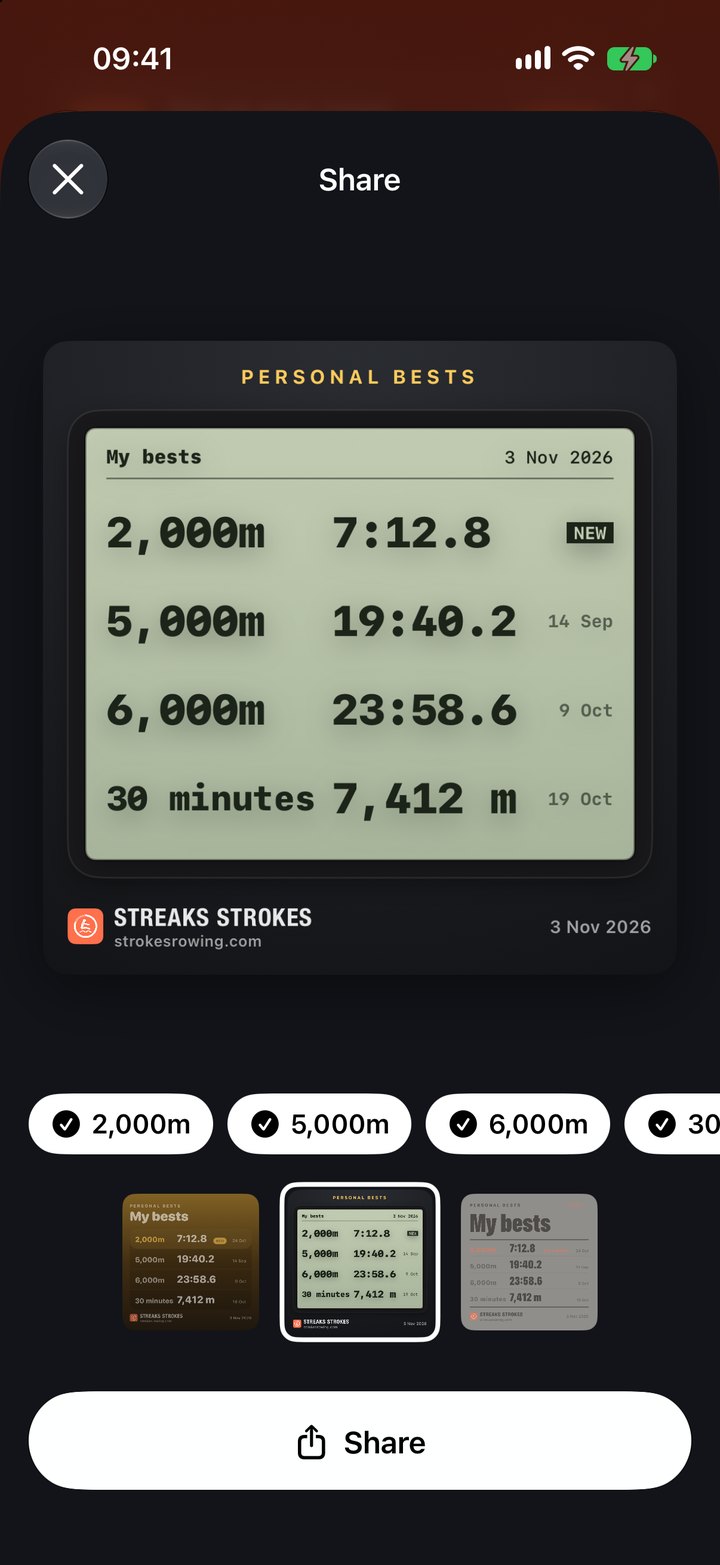
- Stats: Share Totals for a month, a year or all time, and All Personal Bests for up to eight bests, or one best with how it came down.
- An earned trophy, in Trophies.
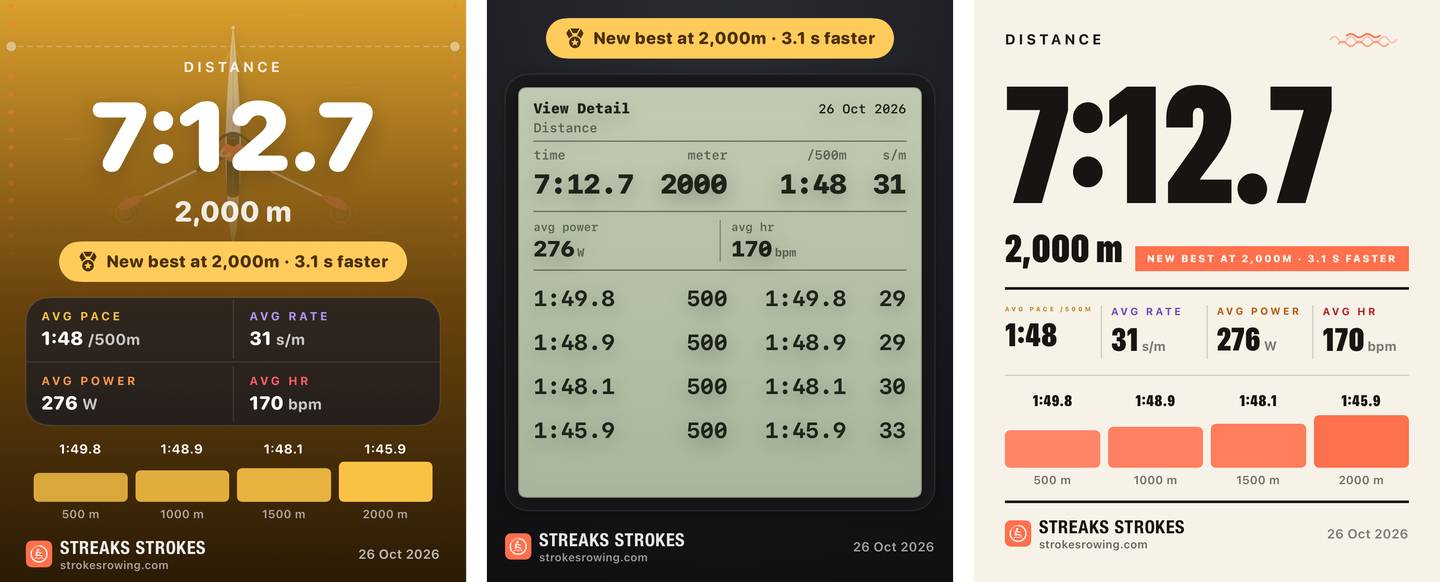
There are three styles to choose from, and the app remembers your last choice:
- Water is the app's own look, and it turns gold for a new best.
- Monitor is drawn like a monitor's results screen, with the total and then each split.
- Poster is large numbers on light paper.
A new best shows its margin, such as "New best at 2,000m · 3.1 s faster".
Records every piece from your PM5, keeps your bests for every test, and shares any of them as an image.

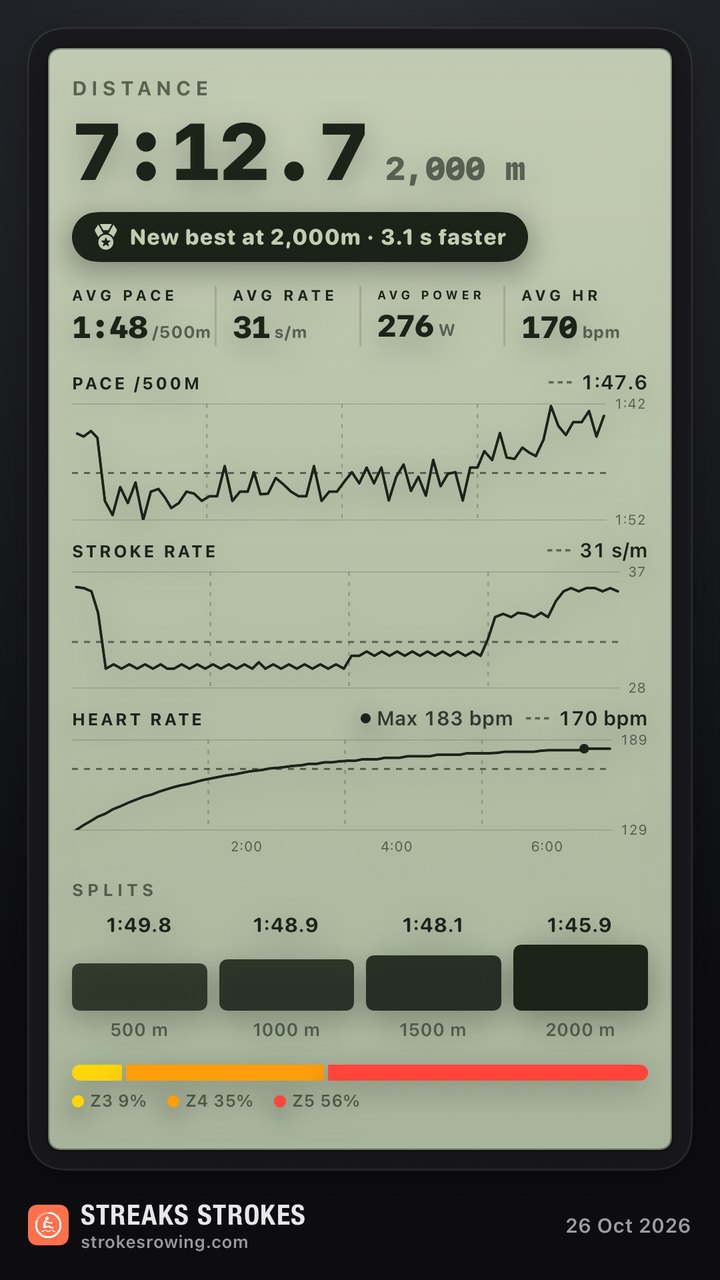
To share the whole workout, choose Full instead of Short in the share sheet. That gives a tall card, sized for a Story, with your pace, stroke rate and heart rate charted through the piece, the splits, and your time in each heart-rate zone. Anything the workout didn't record, such as heart rate, is left off.
Questions
Is a photo of the monitor enough proof?
For friends and most forums, yes. For Concept2's rankings, a result counts as verified when it's synced from ErgData or the Concept2 Utility, or when you enter the monitor's 16-digit verification code in the Logbook.
Does the drag factor change my time?
No. The PM5 measures how quickly the flywheel slows down and allows for it, so times are comparable at any damper setting. A different drag factor does change how the stroke feels.
What image size works on Instagram?
A 4:5 portrait (1080 × 1350 pixels) takes up the most room in the feed. Stories are 9:16 (1080 × 1920).
Can I share a result from an earlier workout?
Yes. On the PM5, open Main Menu → Memory and choose the workout. In Streaks Strokes, open the workout from Sessions and tap its share button.
More guides
- How to pace a 2k rowing test (and what a good 500 m split is)
- How to connect a Concept2 PM5 to your iPhone and Apple Health
- Streaks Strokes support and FAQ
A rowing app for iPhone and Apple Watch that connects to your Concept2 PM5. Free to download, no subscription.